I run multiple AI CLIs in parallel most days: Claude Code, Codex, Cursor, Kiro, Gemini CLI, and whatever new tool I'm trying. But I honestly didn't know what they were costing me.
Each tool logs usage differently, or not at all. You burn through context windows without realizing it, and the bill shows up later.
npx tokentracker-cli
One command does everything: first-time setup, hook installation, data sync, and opens the dashboard at http://localhost:7890.
Why a CLI
I work in the terminal. Didn't want to open a browser just to check a number.
tokentracker watches multiple AI agent sessions at once, reads their native logs, normalizes the data, and gives you one unified view. Currently supports Claude Code, Codex, Cursor, Kiro, Gemini CLI, OpenCode, OpenClaw, and Every Code — eight tools and growing.
tokentracker              # Open dashboard
tokentracker sync         # Manual sync
tokentracker status       # Check hook status
tokentracker doctor       # Health check
First time you run tokentracker, it auto-detects which AI CLIs you have installed and sets up hooks. After that, token usage gets recorded automatically whenever a session ends. Cursor usage is pulled via API.
The dashboard
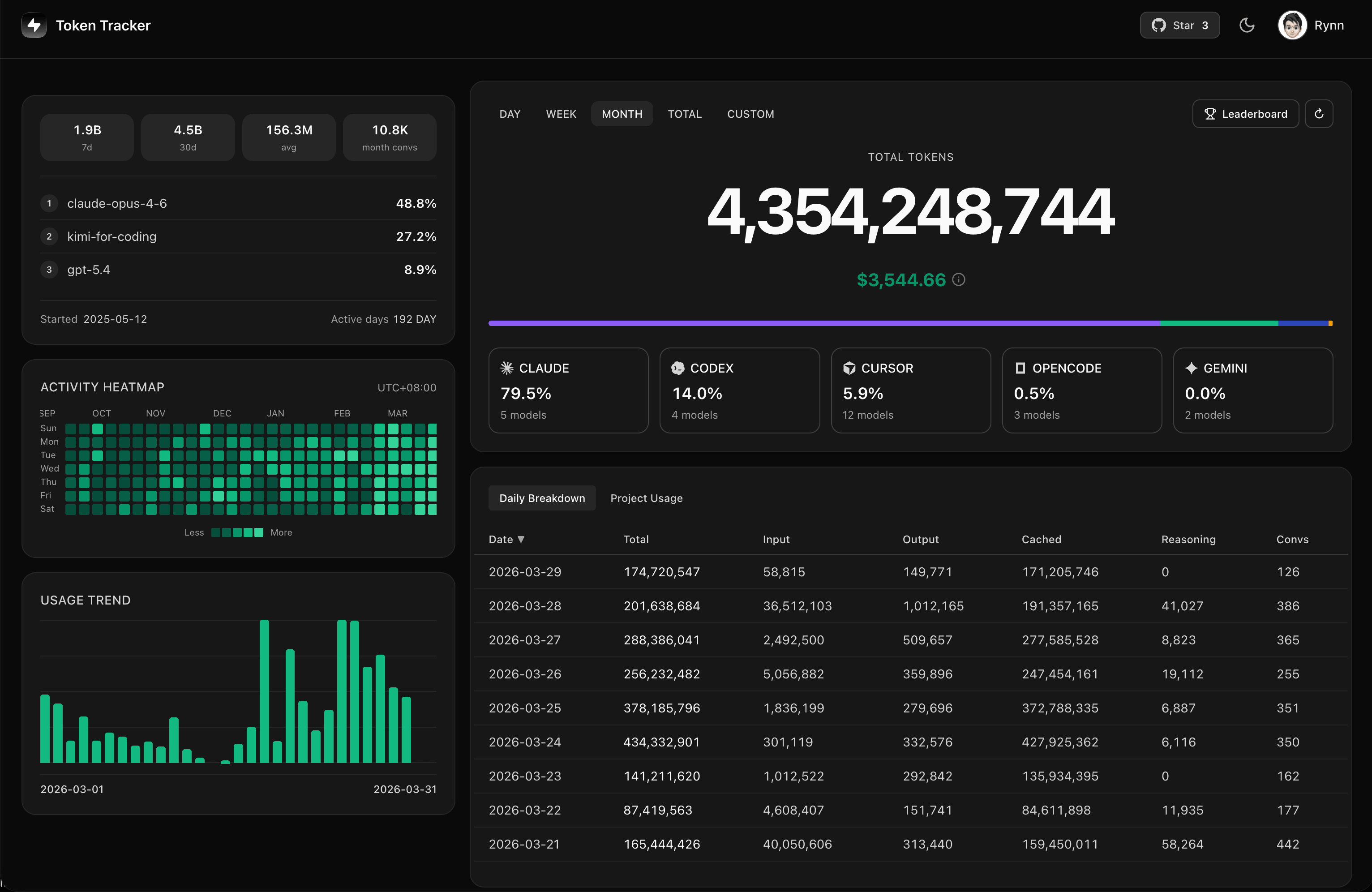
Terminal numbers are fine, but charts are better for spotting patterns. The local web UI runs on localhost with usage trends, model breakdowns, activity heatmaps, project-level usage tracking, and conversation counts. All on your machine.
Leaderboard
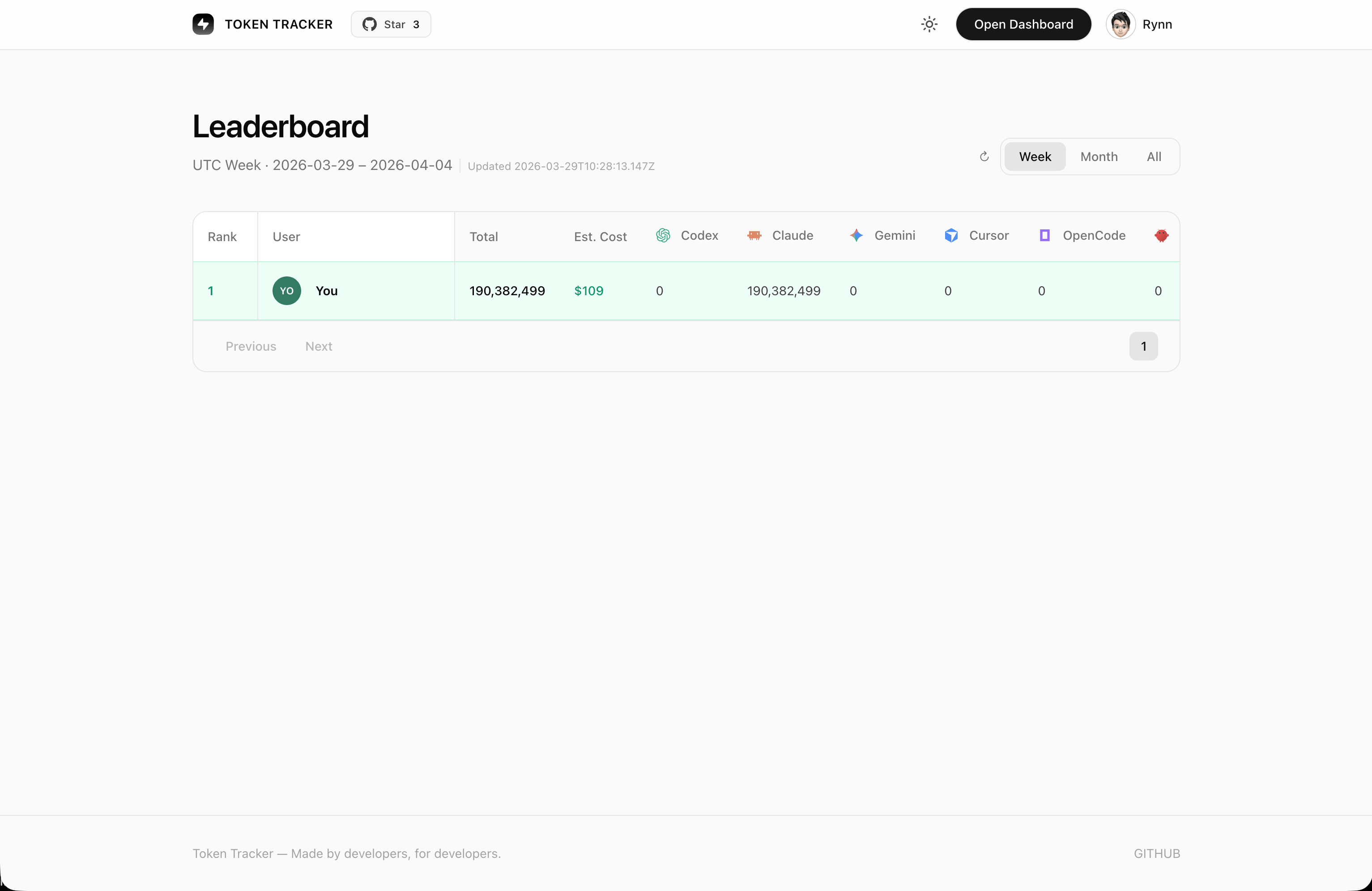
Added a global leaderboard so you can compare token usage with developers worldwide. Weekly, monthly, and all-time rankings. Sign in to join.
Privacy-first
No prompts or responses ever leave your machine — only token counts are tracked. All analysis happens locally. The sync logic is open source, audit it yourself.