TokenTracker CLI solved the data problem, but I still had to open a terminal every time I wanted to check usage. I wanted something that just sits in the menu bar.
So I built TokenTracker Bar, a macOS menu bar app.
Zero config
Download the DMG from GitHub Releases, drag it into Applications, done. The app bundles Node.js and the TokenTracker CLI inside, so there's nothing to install separately. On first launch it detects your AI CLIs, sets up hooks, and starts tracking.
The menu bar
Click the menu bar icon and a panel pops up: today's token usage and cost, weekly and monthly trends, cost breakdown by model. You can see which models are burning through your budget at a glance.
There's also a GitHub-style activity heatmap showing usage intensity over the past year. Data refreshes every 60 seconds automatically.
Clawd
The latest addition: a pixel art companion that lives in your menu bar.
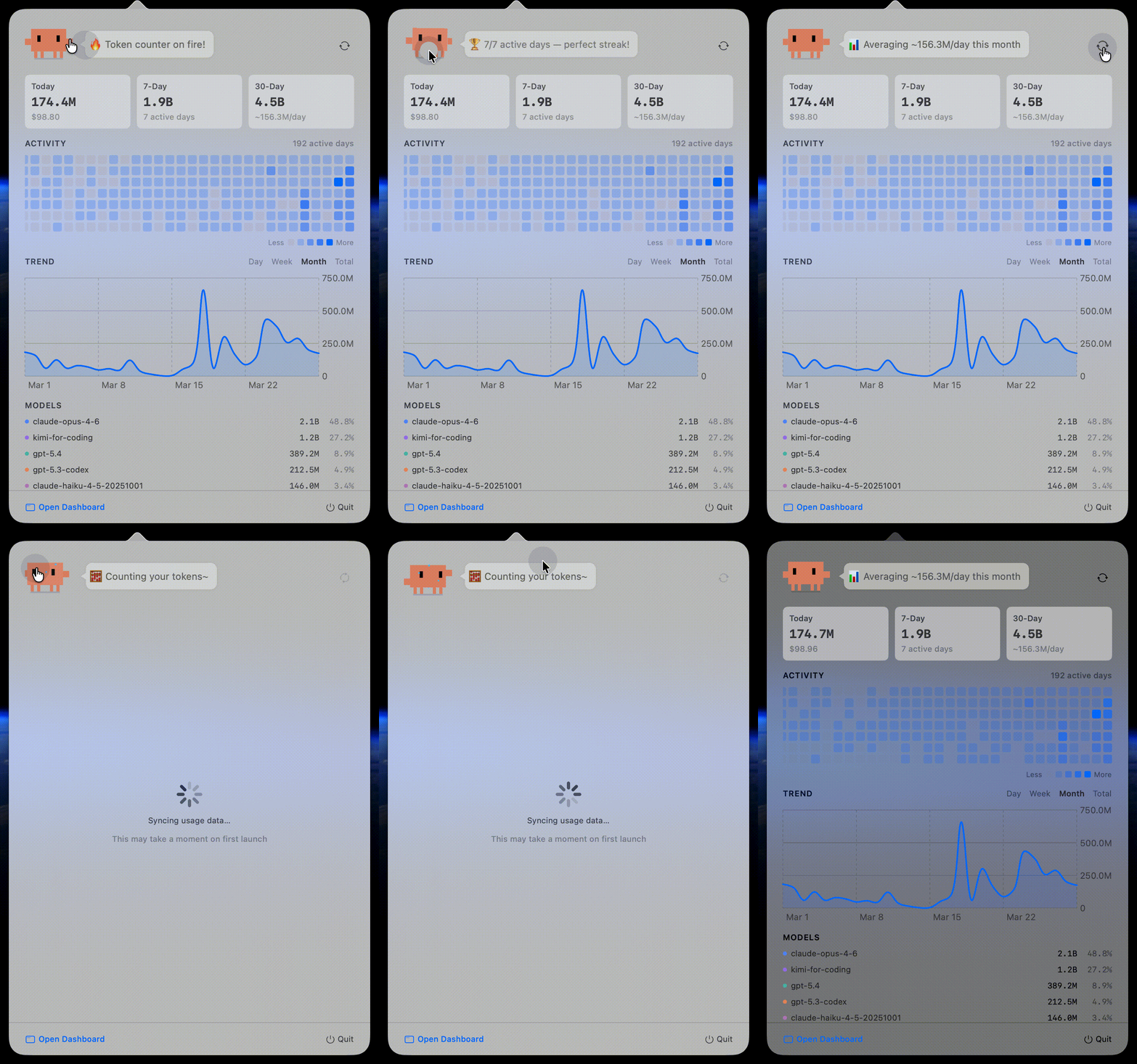
Clawd is an animated pixel character with breathing, blinking, and eye-tracking animations. Inside the dashboard, Clawd reacts to your usage data — over 30 contextual quips, 5 tap animations, and data-driven moods that change based on how much you've been coding.
How it relates to the CLI
TokenTracker Bar runs the same TokenTracker CLI serve process under the hood. Same data format, same API. If you're already using the CLI version, installing Bar picks up your existing data with no extra setup.
The difference is simple: CLI is for checking numbers in the terminal, Bar is for a quick glance anytime.